Your first working datacenter
The in-game tutorial walks you through this, pointing at every button. In short:
- Place a Datacenter on land you own, from the Datacenter tab.
- Power it. Run a power line (Lines tab) from the Regional Grid Tie, or build a plant beside it.
- Cool it. Put a Water Pump on the river bank and a Cooling Tower by the datacenter, and join them with water pipes.
- Connect it. Run fiber to the Internet Exchange.
- Staff it. Lay a road from the campus to a village street.
- Deploy a model. Click the datacenter and pick a model to serve. Open-weights models cost nothing to license.
- Watch the bar at the top. Money per day turns green once the tokens flow.
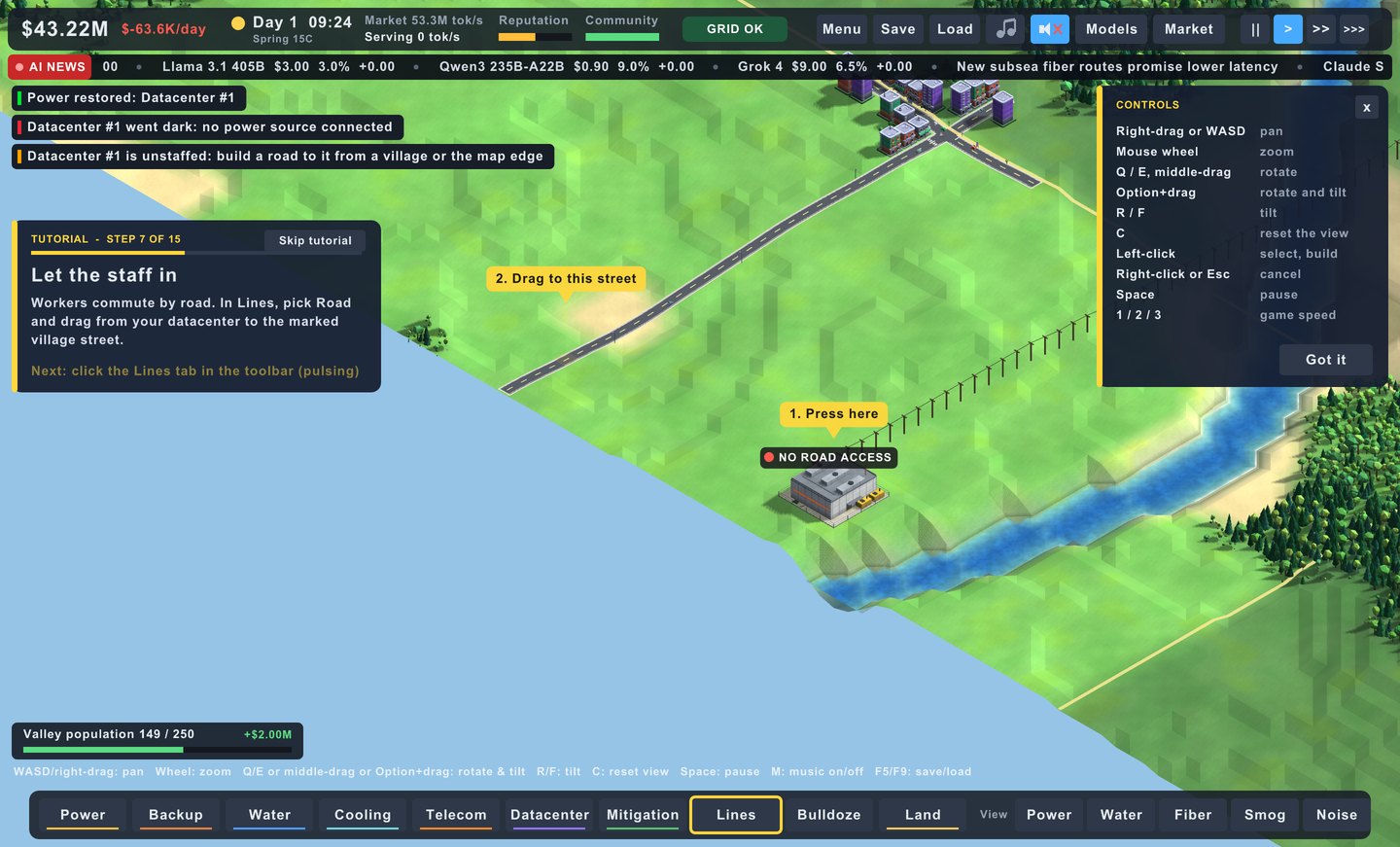
Controls
| Pan the map | W A S D or right-drag |
| Zoom toward the cursor | scroll |
| Rotate and tilt the camera | Q E · R F or middle-drag |
| Reset the view | C |
| Place, select, start a line | left click |
| Cancel the tool, close a panel | right click · Esc |
| Pause | Space |
| Game speed | 1 2 3 |
| Music on or off | M |
| Fullscreen | F11 or Alt+Enter |
In the browser, use the Save and Load buttons in the top bar: F5 reloads the page. On an iPad: tap, drag to pan, pinch to zoom and twist to rotate.
Worth knowing early
Power
- A network that is short of power goes dark as a whole, so add supply when the "power is tight" warning shows.
- The regional grid is the dearest power you can buy, and storms cut it. Batteries or diesel cover the gap.
- Solar works by day only. Pair it with batteries.
Cooling
- A cooling tower without water does nothing. Check the pump has water to spare.
- Air chillers are the answer where there is no river, at a cost in power.
- Liquid cooling cuts the heat a datacenter dumps by 40%.
Neighbours
- Build gas plants and diesel away from homes, or fit scrubbers and sound walls early.
- Trees between you and a village soak up smog and noise.
- A blockade doesn't end by waiting. Fix the cause the building's panel names.
Money
- An idle datacenter still costs upkeep. Deploy a model on every one.
- Sell surplus power to the grid in the evening.
- Bandwidth caps what you can serve: add a Network Hub before a second datacenter.
Questions
Is it free?
The browser version on this site is free, with no account and no install. It is the whole game.
What does it run on?
Any recent desktop browser, through WebAssembly and WebGL 2. There are also builds for Mac (Apple Silicon and Intel), 64-bit Windows and iPad.
Is it on Steam?
A Steam release is being prepared. You can see a preview of the store page.
Where are my saved games?
In the browser, in that browser's own storage, so they stay on that device. The Mac and Windows apps keep them in your user folder.
Does it work on a phone?
It is built for a mouse and keyboard, or an iPad's touch screen. A phone screen is too small for the interface.
Are the AI models real?
Their names, sizes, GPU needs and prices are modelled on real ones. The rival clouds (Rainforest, Cerulean, Gaggle and Soothsayer Cloud) are made up.
Is the source available?
Yes: github.com/binRick/dcb. It is written in C11 with raylib.